文件IO操作1. 文件io通用函数1. 实例一个通用的 IO 模型通常包括打开文件、读写文件、关闭文件这些基本操作, 主要涉及到 4 个函数: open()、 read()、 write()以及 close()。 首先来看一个简单的应用例子,源码如下: #include <sys/types.h>
#include <sys/stat.h>
#include <fcntl.h>
#include <unistd.h>
#include <string.h>
#include <stdio.h>
int main(int argc, char **argv)
{
int fd;
if(argc != 3)
{
printf("Usage: %s <target file> <String>\n", argv[1]);
}
fd = open(argv[1], O_RDWR | O_CREAT, 0644);
if(fd < 0)
{
printf("open %s failed!\n", argv[1]);
}
write(fd, argv[2], strlen(argv[2]));
write(fd, "\r\n", 2);
close(fd);
} 编译: gcc 00_demo.c -o 00_demo 执行: $./00_demo test.txt helloworld
$ cat test.txt
helloworld 2. 文件描述符调用 open 函数会有一个int 类型的返回值,在 open函数执行成功的情况下,会返回一个非负整数, 该返回值就是一个文件描述符(file descriptor) ,如果返回值是负数,说明打开文件失败。 3. open/close/read/write函数首先介绍一下man命令,它可以查看命令或者函数的用法及详细介绍,共包含9种类型如下: 1 Executable programs or shell commands // 命令
2 System calls (functions provided by the kernel) // 系统调用,比如 man 2 open
3 Library calls (functions within program libraries) // 函数库调用
4 Special files (usually found in /dev) // 特殊文件, 比如 man 4 tty
5 File formats and conventions eg /etc/passwd // 文件格式和约定, 比如 man 5 passwd
6 Games // 游戏
7 Miscellaneous (including macro packages and conventions), e.g. man(7), groff(7) /
/杂项
8 System administration commands (usually only for root) // 系统管理命令
9 Kernel routines [Non standard] // 内核例程 以open为例,可以查看open的原型和头文件 OPEN(2) Linux Programmer's Manual OPEN(2)
NAME
open, openat, creat - open and possibly create a file
SYNOPSIS
#include <sys/types.h>
#include <sys/stat.h>
#include <fcntl.h>
int open(const char *pathname, int flags);
int open(const char *pathname, int flags, mode_t mode);
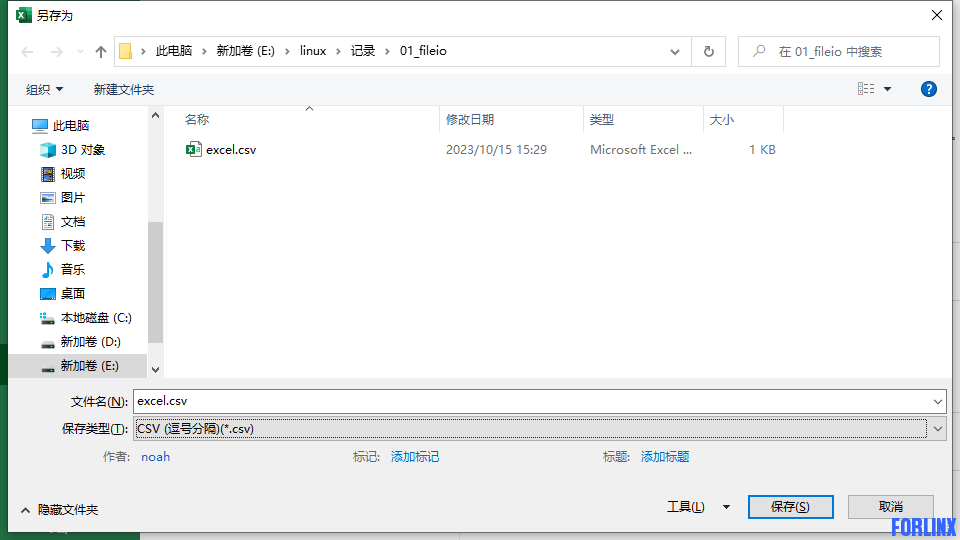
其他函数的用法也可以使用man查看。 2. 应用操作excel实例1. 新建文件新建一个excel表格,并保存为csv格式,为避免由于编码格式导致的问题,文件内容全部使用ascii字符,如下:
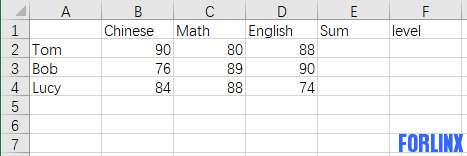 
使用notepad++查看文件内容如下: ,Chinese,Math,English,Sum,level
Tom,90,80,88,,
Bob,76,89,90,,
Lucy,84,88,74,, 可以看出,表格内容由逗号分隔,上传至Ubuntu,使用hexdump查看,文件内容如下:
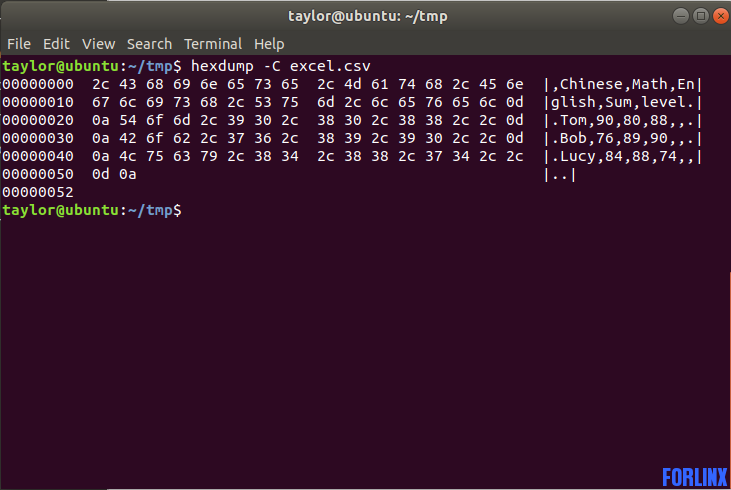
2. 应用处理接下来写一个应用读取源文件数据,处理后写入新的文件。要求如下: 1.实现打开和关闭我们只需要调用open即可实现对源文件的打开和对目标文件的创建。 #include <unistd.h>
#include <sys/types.h>
#include <sys/stat.h>
#include <fcntl.h>
#include <stdio.h>
#include <string.h>
#include <errno.h>
int main(int argc, char **argv)
{
int fd_data, fd_result;
if(argc != 3)
{
printf("Usage: %s <data.csv> <result.csv>\n", argv[0]);
return -1;
}
fd_data = open(argv[1], O_RDONLY);
if(fd_data < 0)
{
printf("open %s failed!\n", argv[1]);
perror("open");
&n |